Python USB interface and command-line tool for TrippLite UPS battery backups.
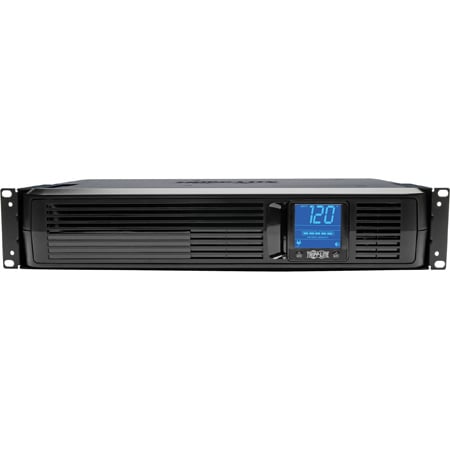
TrippLite offers UI software for monitoring its batteries. However, most of its batteries don't have network access, and the existing TrippLite software requires a local install.
I wanted to monitor the UPS from a remote headless Linux server, so I wrote this tool.
This has been exclusively tested on the TrippLite SMART1500LCD UPS. It will likely work on similar firmware but there is a known communication issue with some other TrippLite models (see numat/tripplite#3).
Use lsusb to check. 09ae:2012 should work, while 09ae:3016 may not.
apt install gcc libusb-1.0-0-dev libudev-dev
pip install tripplite
Connect a USB cable from the UPS to your headless server, and you should be ready to run. If you don't want to run as root, see Note on Permissions below.
$ tripplite
{
    "config": {
        "frequency": 60,  # Hz
        "power": 1500,  # VA
        "voltage": 120  # V
    },
    "health": 100,  # %
    "input": {
        "frequency": 59.7,  # Hz
        "voltage": 117.2  # V
    },
    "output": {
        "power": 324,  # W
        "voltage": 117.2  # V
    },
    "status": {
        "ac present": true,
        "below remaining capacity": true,
        "charging": false,
        "discharging": false,
        "fully charged": true,
        "fully discharged": false,
        "needs replacement": false,
        "shutdown imminent": false
    },
    "time to empty": 1004  # s
}
To use in shell scripts, parse the json output with something like
jq. For example,
tripplite | jq '.status."ac present"' will return whether or not the unit
detects AC power.
If you'd like to link this to more complex behavior (e.g. data logging, text alerts), consider using a Python script.
from tripplite import Battery
with Battery() as battery:
    print(battery.get())
The state variable will contain an object with the same format as above. Use
state['status']['ac present'] and state['status']['shutdown imminent'] for
alerts, and consider logging voltage, frequency, and power.
If you are logging multiple batteries, you will need to handle each connection separately.
from tripplite import Battery, battery_paths
for path in battery_paths:
    with Battery(path) as battery:
        print(battery.get())
These paths are unfortunately non-deterministic and will change on each iteration.
For long polling, you can improve stability by keeping connections open as long as possible and reconnecting on error. For example:
state = None

def read_batteries(check_period=5):
    """Read battery and reopen in error. Use for long polling."""
    battery = Battery()
    battery.open()
    while True:
        time.sleep(check_period)
        try:
            state = battery.get()
        except OSError:
            logging.exception(f"Could not read battery {battery}.")
            battery.close()
            battery.open()
An example for multiple batteries can be found in numat/tripplite#6.
To read the TrippLite, you need access to the USB port. You have options:
- Run everything as root
- Add your user to the
dialoutgroup to access all serial ports - Create a group restricted to accessing TrippLite USB devices through
udev
For the last option, the rule looks like:
echo 'SUBSYSTEM=="usb", ATTRS{idVendor}=="09ae", GROUP="tripplite"' > /etc/udev/rules.d/tripplite.rules
udevadm control --reload-rulesThis package offers an extra install to include a Prometheus Exporter
which allows for data collection into a prometheus time series database. Essentially it's a small HTTP server that allows
Prometheus to scrape grabbing metrics at a configurable period.
pip install tripplite[exporter]- This adds the prometheus_client dependency.
You can then manually run the triplite-exporter cli or use the
tripplite_exporter.service
systemd unit file to have systemd run and supervise the process.
The script will try to close and reopen the USB serial connection to the device on an OSError. If an open fails,
the script will exit with the return code of 2.